How to Add Recurring Giving in the Church Center App
1.Go to arborlawnumc.churchcenter.com/giving
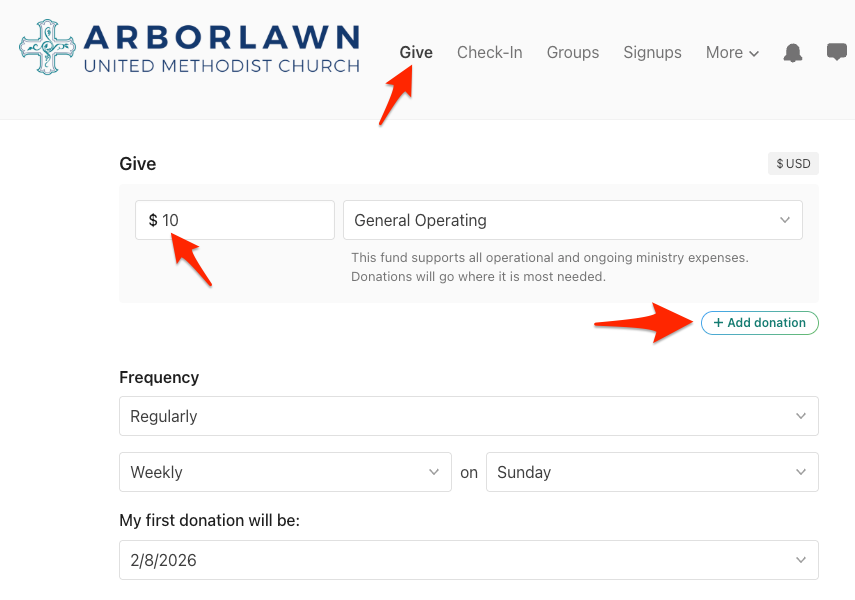
2. Enter the giving amount and the fund you would like your gift to go towards. Optional: you can add another donation amount by clicking the “add donation” button.
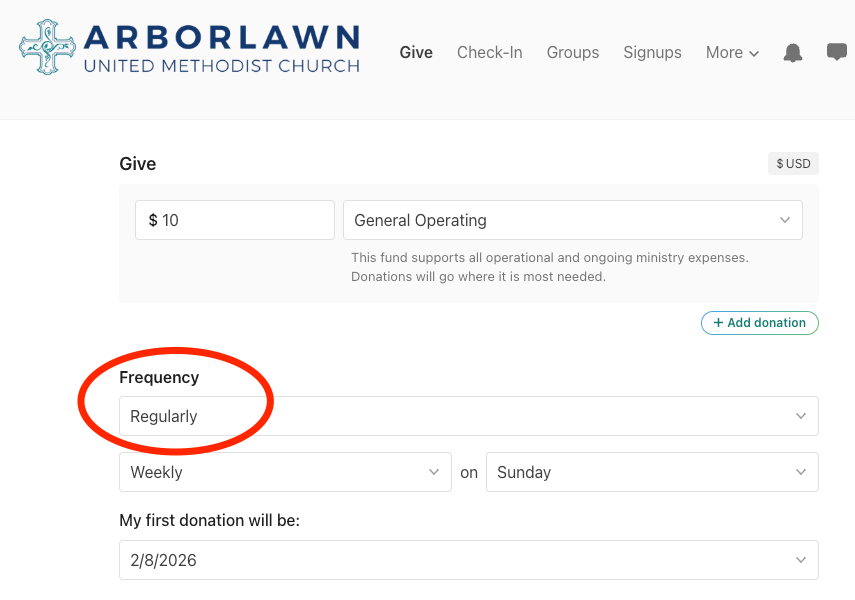
3. Under “Frequency” change from “one time” to “regularly.” Then set the intervals and on which day of the week you would like the gift to be donated.
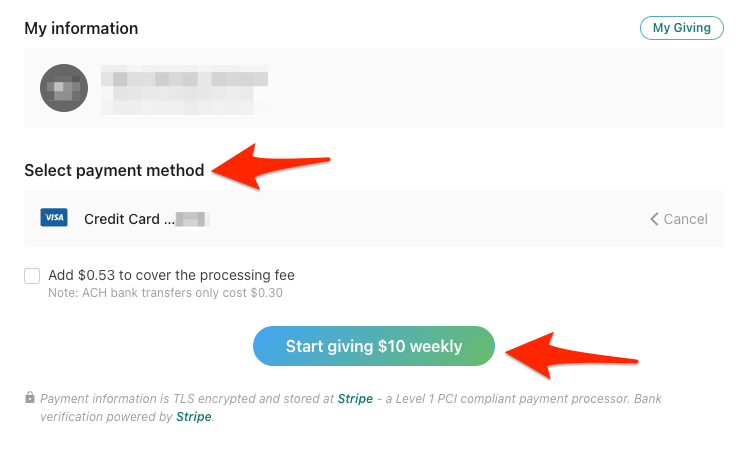
4. Select your payment method and hit “start giving”!
How to edit your recurring giving in the Church Center app
1.Go to arborlawnumc.churchcenter.com/giving
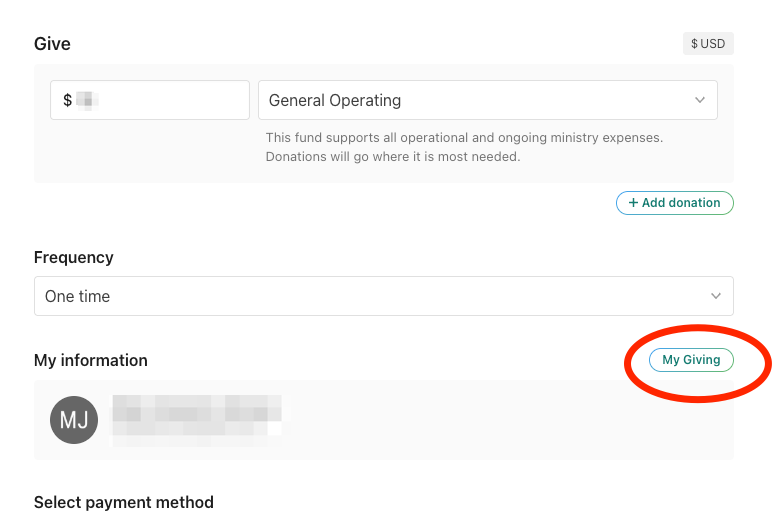
2. Under “My information” click “My Giving” on the right.
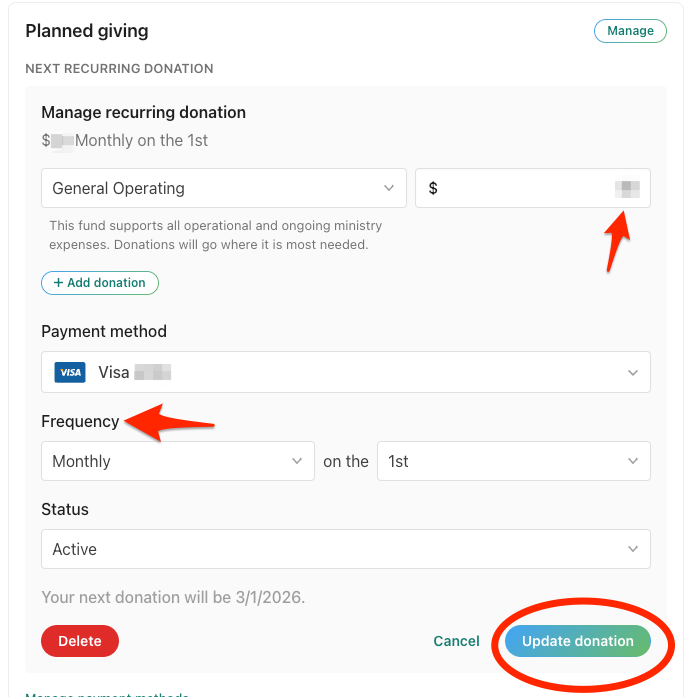
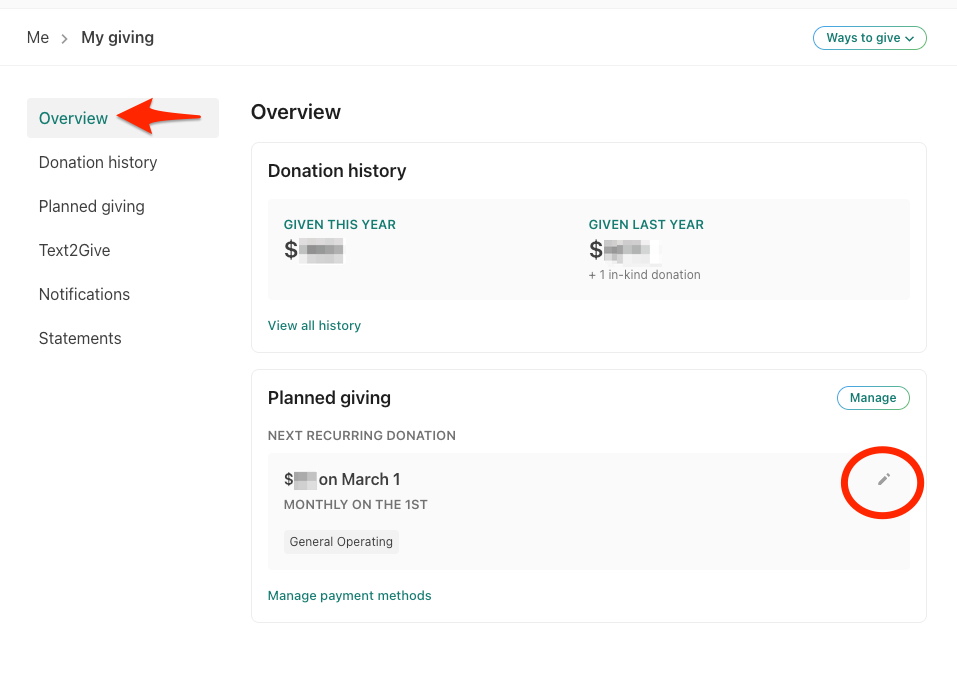
3. Under the “Overview” section you will see a section that says, “Planning giving.” Click on the pencil icon of the recurring payment you wish to edit.
4. From there you can edit the amount, payment method, frequency of gift and setting the status from active to inactive. Then, at the bottom you can choose to delete the recurring gift or click on the “Update donation” button.